








Verbatik AI

Text to Speech & Voice Cloning

Turn scripts into natural speech in 161 languages. Clone your voice for narration, or add speech to your app with the AI Voice API.

104 / 25,000 charactersMP3, WAV or FLAC

Sign up to generate. Try Free.

Voice previews play a prerecorded sample, not the text above.

iOSmacOSWindows

Trusted by teams at

NikeL'OréalSephoraRed BullBMWNestléCoca-ColaUnilever

One idea. Every way to create.

Start with your voice. Build the images, video, and music around it, all with Verbatik.

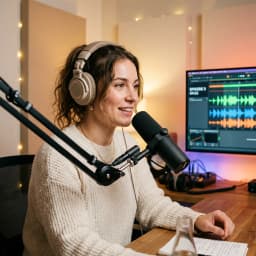
Woman in blue at a silver studio microphone

Give your words a voice. Create narration from text or use your own cloned voice for a more personal sound.

Explore text to speech

Your toolkit for every take

From the first line to the final frame, find the tools to make it yours.

Start creating

Images

Image generation

Describe a scene, product, or style to create images for your next campaign or story.

Cobalt glass perfume bottle on a silver pedestal

Video

Video generation

Start with text or an image and create video to bring your concept to life.

AI avatars

Pair your script with an AI presenter for product explainers, social videos, and ads.

Captions

Generate subtitles from your video, edit the words, and style captions to match your content.

Fashion scene with a blue outfit and sculptural architecture

Voice & audio

Text to speech

Turn scripts into natural narration. Choose a voice and language to suit your audience.

Voice cloning

Create a clone of your own voice from a recording, then use it to narrate new scripts.

AI Voice API

Add text to speech to your application with an API built for speech generation.

Woman in blue at a silver studio microphone

Creative essentials

Music generation

Describe your preferred mood, instruments, and genre to create a soundtrack for your project.

Sound effects

Create sounds from a description, from subtle background ambience to a dramatic scene transition.

Transcription

Turn spoken audio into text you can review, search, and use in your workflow.

Audio converter

Convert audio files into the format you need for editing, sharing, or publishing.

Silver headphones in a cobalt blue recording studio

From written words to spoken audio

Make a video voiceover or bring speech into your product. Choose a library voice, create a voice clone, or connect your application to the API.

Text to Speech

Text to speech converts your script into audio using an AI voice. Choose a language and regional accent, compare real voice samples, and find a narrator for your audience. Edit the words and generate a new take when your script changes.

Text to Speech


Voice Cloning

Voice cloning creates a reusable voice from an audio sample. Use your own voice, or a voice you have permission to use, for narration and recurring content. A clean recording helps capture the speaker's tone; new scripts become speech in that voice.

Voice Cloning

AI Voice API

Add AI speech synthesis to your app or content workflow. The REST API provides endpoints for text to speech, voice training, and finding library or cloned voices. Send text with a voice ID to generate audio, with API keys kept on your server.

AI Voice API

Create your voiceover in three steps

Listen, prepare your script, then generate audio in the Verbatik workspace.

  1. Choose a voice

    Select the language and accent your listeners expect. Play several voice samples to compare pronunciation and delivery, or prepare a clear recording for a voice clone.

  2. Prepare your script

    Paste your text and review names, numbers, and punctuation. In the workspace, adjust pronunciation, pauses, and pacing to suit your message.

  3. Generate and download

    Create speech, listen through, and revise lines that need another take. Export MP3 for sharing, or WAV and FLAC for editing and production.

Verbatik API

Build with the AI Voice API

Text to Speech API

Convert text to ultra-realistic speech with neural voices. Choose a model to optimize for consistency, latency or emotional control. All support 150+ languages.

Verbatik Flash

75ms latency for conversational usecases

Verbatik Multilingual

Best lifelike consistent speech

POST/api/v1/tts
curl -X POST "https://api.verbatik.com/api/v1/tts" \
  -H "Authorization: Bearer YOUR_API_KEY" \
  -H "Content-Type: text/plain" \
  -H "X-Voice-ID: jenny-en-us" \
  -H "X-Store-Audio: true" \
  -d "Hello, this is a test of our text-to-speech API."

Voice Cloning API

Clone any voice from an audio URL. The audio should be at least 10 seconds long for best results. Supports noise reduction and volume normalization.

Voice Training

$3 per clone with instant results

Voice Cloning TTS

$0.10 per 1,000 characters

POST/api/v1/voice-training
curl -X POST "https://api.verbatik.com/api/v1/voice-training" \
  -H "Authorization: Bearer YOUR_API_KEY" \
  -H "Content-Type: application/json" \
  -d '{
    "audio_url": "https://example.com/voice-sample.wav",
    "name": "My Custom Voice",
    "noise_reduction": true,
    "volume_normalization": true
  }'

List Voices API

Retrieve all available voices with optional filtering by language, gender, or search query. Includes neural voice metadata and available styles.

1,500+ Voices

Neural voices across 150+ languages

GET/api/v1/voices
curl -X GET "https://api.verbatik.com/api/v1/voices?language=en-US&gender=Female" \
  -H "Authorization: Bearer YOUR_API_KEY"

My Voices API

Manage your cloned voices programmatically. List, retrieve, and delete your custom voice clones.

Full CRUD

List, get, and delete cloned voices

GET/api/v1/my-voices
curl -X GET "https://api.verbatik.com/api/v1/my-voices" \
  -H "Authorization: Bearer YOUR_API_KEY"

Speech for the work you create

Explore all use cases

Narration and learning

Turn chapters, course scripts, and explainers into spoken audio. Keep a consistent narrator across lessons and update a passage when the material changes.

Articles people can listen to

Offer an audio version beside your written content. Give readers a choice to listen to articles, product guides, and learning materials.

Video in more languages

Pair a translated script with a suitable language and regional voice. Create voiceovers for tutorials, product videos, and social content for different audiences.

Speech inside your application

Use the API to generate spoken responses, narrated content, or audio previews from your backend. Reuse a selected voice throughout your product.

Portrait
Portrait
AI-Powered

Voice, video, photo — one platform.

Generate lifelike voiceovers, cinematic videos, professional photos, and auto-captions from a single dashboard.

AI-Powered

200+ AI voices. 150+ languages.

Clone any voice, speak any language. From podcasts to ads, your content sounds native everywhere.

Lifestyle
Pet
Lifestyle
Pet
Craftsman
Craftsman
AI-Powered

UGC ads that stop the scroll.

AI avatars deliver your script with authentic energy. Test dozens of variations without hiring a single creator.

AI-Powered

Captions that boost engagement.

Auto-generate animated subtitles in 100+ languages. 85% of social video is watched on mute — make every word count.

Glasses
Glasses

Verbatik Creative

Create, edit and localize in one AI platform

Create ultra-realistic speech, turn ideas into videos, compose music in any genre, or design immersive sound effects. Craft your next film, ad, audiobook, or podcast with our all-in-one platform.

Amidst the outer atmosphere of the planet Aurora, the sky shimmered with fractured light, as though the planet's veil were made of stained glass suspended in space.

Sensors pulsed with irregular patterns, the kind no algorithm could quite reconcile.

AI voice editor
Amidst the outer atmosphere of the p...
All-in-one AI editor
Pro
Create podcasts, audiobooks and voiceovers in an editor built on all of Verbatik's audio research combined.

Preview

Hello, I'm Adam Multilingual! Welcome to Verbatik, here you can create any type of content using my voice!
Ultra-realistic speech
Create controllable, expressive speech with 1,500+ AI voices in 150+ languages.
Music
Generate studio-quality tracks instantly, any genre, any style, vocals or instrumental.
SFX
Create custom sound effects and ambient audio.
Voices
Clone a replica of your own voice, design one from a prompt, or explore 1000s of voices from the library.
Image & Video
Create or edit images and turn ideas into videos with leading AI models and creative tools.
Get started
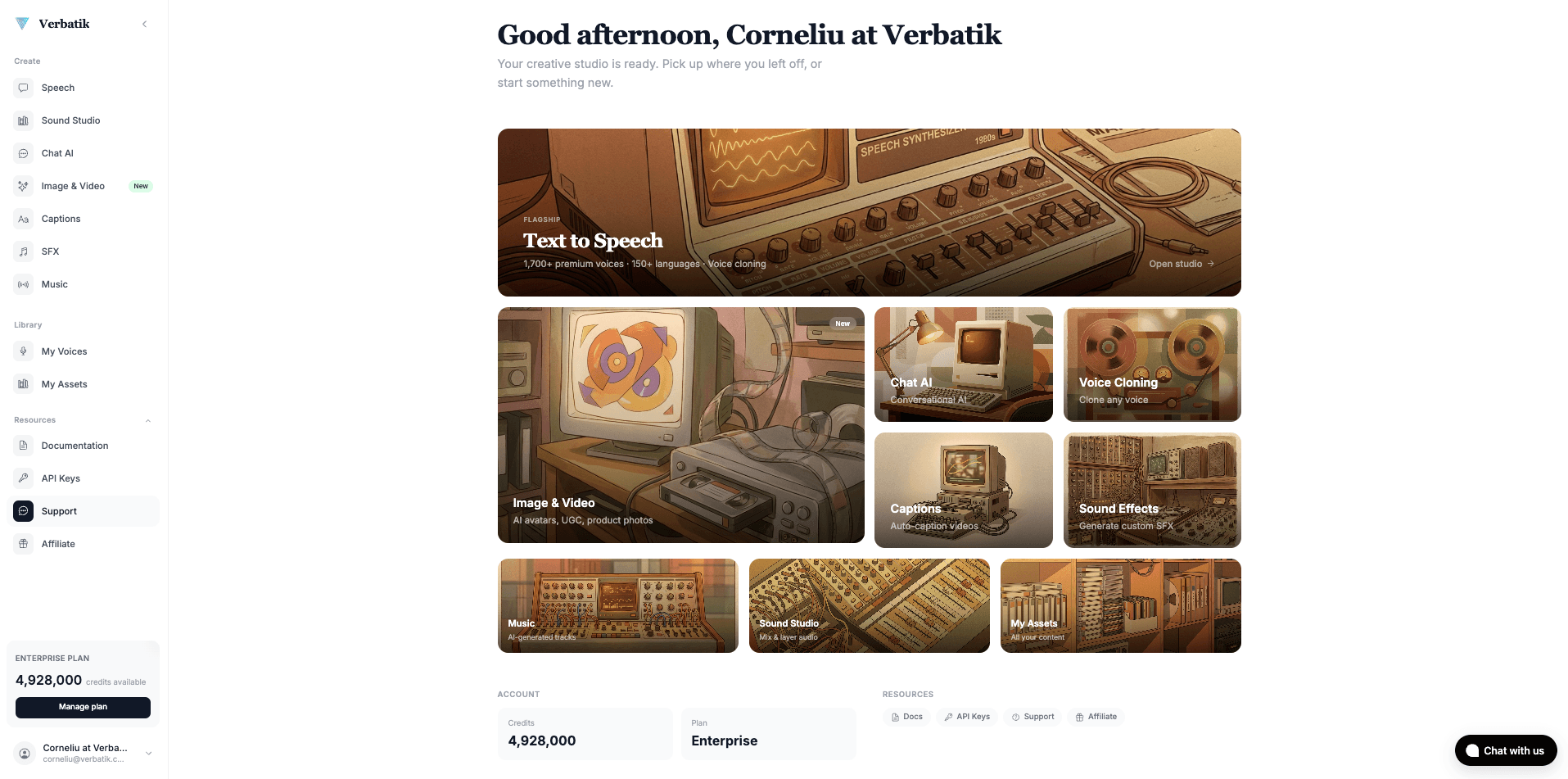
Verbatik Studio

Generate ultra-realistic speech, videos, music, and sound effects

One dashboard to create, edit, and manage all your AI-generated content. From voiceovers to full video production.

Verbatik AI Dashboard — text to speech, voice cloning, music generation, and sound effects studio

Questions about AI voices

What to know before choosing a voice, generating audio, or building an integration.

Can I try Text to Speech before signing up?

Yes. You can play the voice samples on this site without an account. These are prerecorded examples for comparing voices. Generating speech from your own script happens in the Verbatik workspace after sign-up; playing a sample does not synthesize your entered text.

How is Voice Cloning different from Text to Speech?

Text to speech turns written words into audio. Voice cloning creates a voice from a recording, which you can then use to speak new text. Use a library voice when you need a narrator; choose cloning when you need your own vocal identity.

Whose voice can I clone?

Use your own voice or a speaker who has given you permission to clone and use their voice. Start with a clear recording with little background noise. Check that your permission covers the content and intended use before uploading someone else's recording.

What audio formats can I download?

Generated speech can be exported as MP3, WAV, or FLAC. MP3 is convenient for publishing and sharing. WAV provides uncompressed audio for editing, while FLAC preserves lossless audio in a smaller file.

How do I connect the Voice API?

Create an API key in your account and send authenticated REST requests from your server. List available voices, select a voice ID, and submit text to the text-to-speech endpoint. The documentation covers request headers, responses, voice training, and current endpoint limits.

How much do speech generation and cloning cost?

Workspace plans use credits, with paid options for voiceovers and voice cloning. API pricing depends on the endpoint and usage. Compare the current plans on the pricing page and check the API documentation for the charges and limits that apply to your integration.

Start creating today

Ready to bring your content to life?

Join 150,000+ creators, developers, and businesses using Verbatik AI to produce studio-quality voiceovers, clone voices, and generate music and sound effects.

14-day refund guaranteeCancel anytime
  • 1,500+ neural voices in 150+ languages
  • Voice cloning from a single audio sample
  • Music, sound effects, and video generation
  • Full API access with real-time streaming
  • Commercial license included
  • 14-day money-back guarantee

150K+

creators

150+

languages

75ms

latency

Trusted by teams at leading companies worldwide

99.9% uptime SLA GDPR ready Enterprise support 14-day money-back guarantee