
Built to make your content extraordinarily engaging.
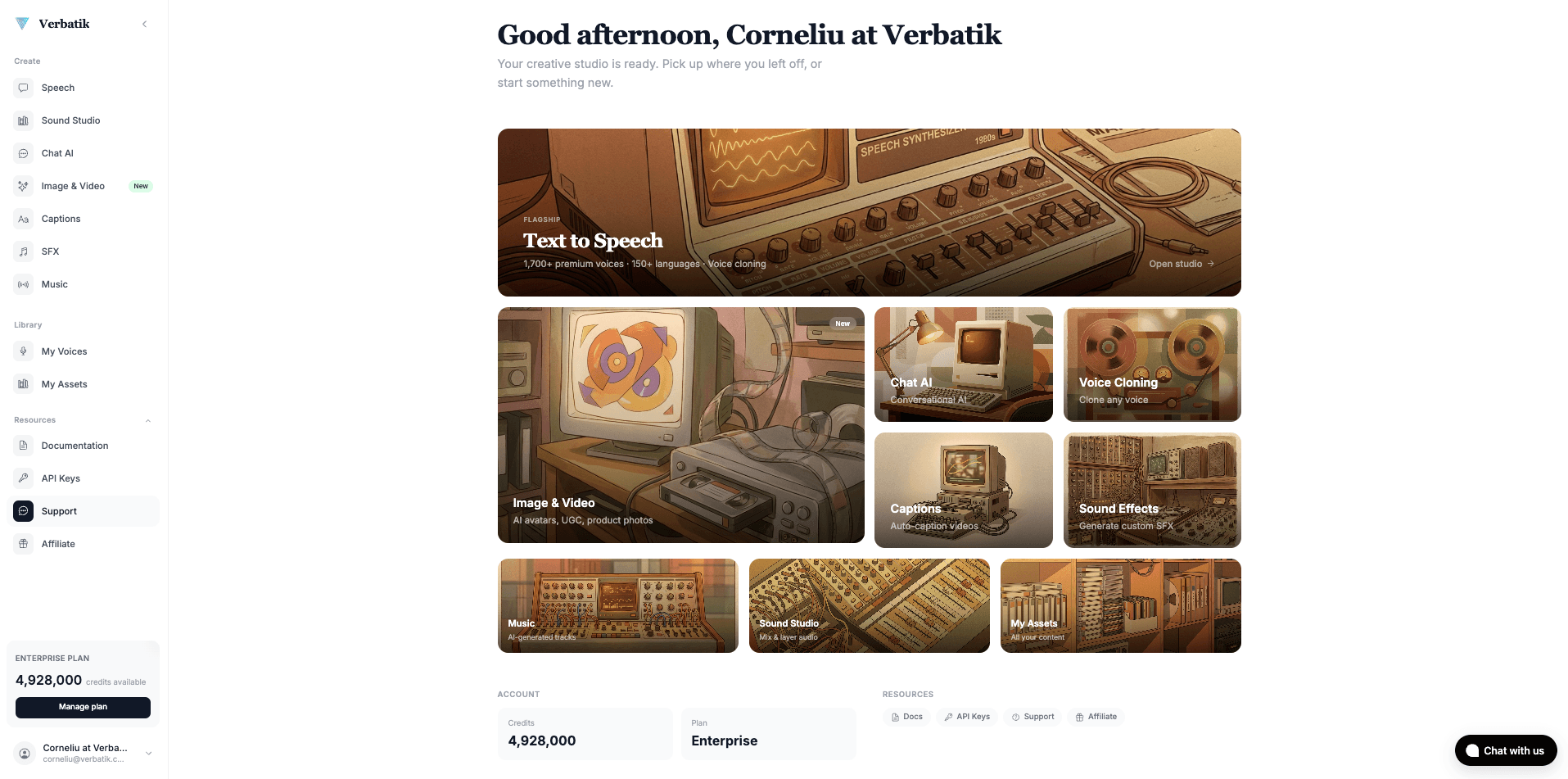
Your all-in-one AI studio for voice, video, avatars, music, and more. Now available as a native macOS app.
See what our users are saying about Verbatik

Trustpilot
G2

Capterra
GetApp
Your All in One AI Creative Studio
Everything you need to create professional content, all in one powerful Mac app.
macOS Installation Guide
When downloading Verbatik AI for macOS, you may see a security warning because the app is not yet code-signed. This is normal for apps downloaded outside the Mac App Store.
How to Open the App
- Downloaded directly from our official website
- The same web app you use in your browser, wrapped for desktop
- Open source — you can inspect the code
Loved by creators worldwide
Craig P.
GB
“I was really surprised at just how good some of the voices are. You can add tags for emphasis, pauses, and pronunciation. Great for video voice-overs. Recent additions also allow AI photos, videos, and music.”
Cristian C.
Administrator
“VERBATIK is straightforward to use and improves content quality quickly. I value its ability to provide suggestions and corrections while keeping my intended tone intact.”
Bejan Andrei
MD
“We use Verbatik for promotional videos, explainers, and short ads. The AI voices sound professional, avatars look great, and the video generator helps produce content fast.”
Tom G.
Mr
“I like the way text to speech is working, very fast, especially when using APIs, and the voice cloning ability is very good.”
Makgotso R.
Content Creator
“The broad range of AI voices and the ability to personalize the voice experience is very valuable to me as a content creator.”
Lucian
RO
“The voices sound incredibly natural after recent updates. You can clone your voice, generate AI avatars, or mix in background music — all from the same dashboard.”
Download Verbatik AI for macOS
Get the full Verbatik AI experience on your desktop. All features, offline-ready, and always up to date.
Download Verbatik AI for macOSVersion 1.0.0 · Apple Silicon (arm64) · Free to try
Read our articles


Start creating today
Ready to bring your content to life?
Join 150,000+ creators, developers, and businesses using Verbatik AI to produce studio-quality voiceovers, clone voices, and generate music and sound effects.
- 1,500+ neural voices in 150+ languages
- Voice cloning from a single audio sample
- Music, sound effects, and video generation
- Full API access with real-time streaming
- Commercial license included
- 14-day money-back guarantee
150K+
creators
150+
languages
75ms
latency
Trusted by teams at leading companies worldwide