
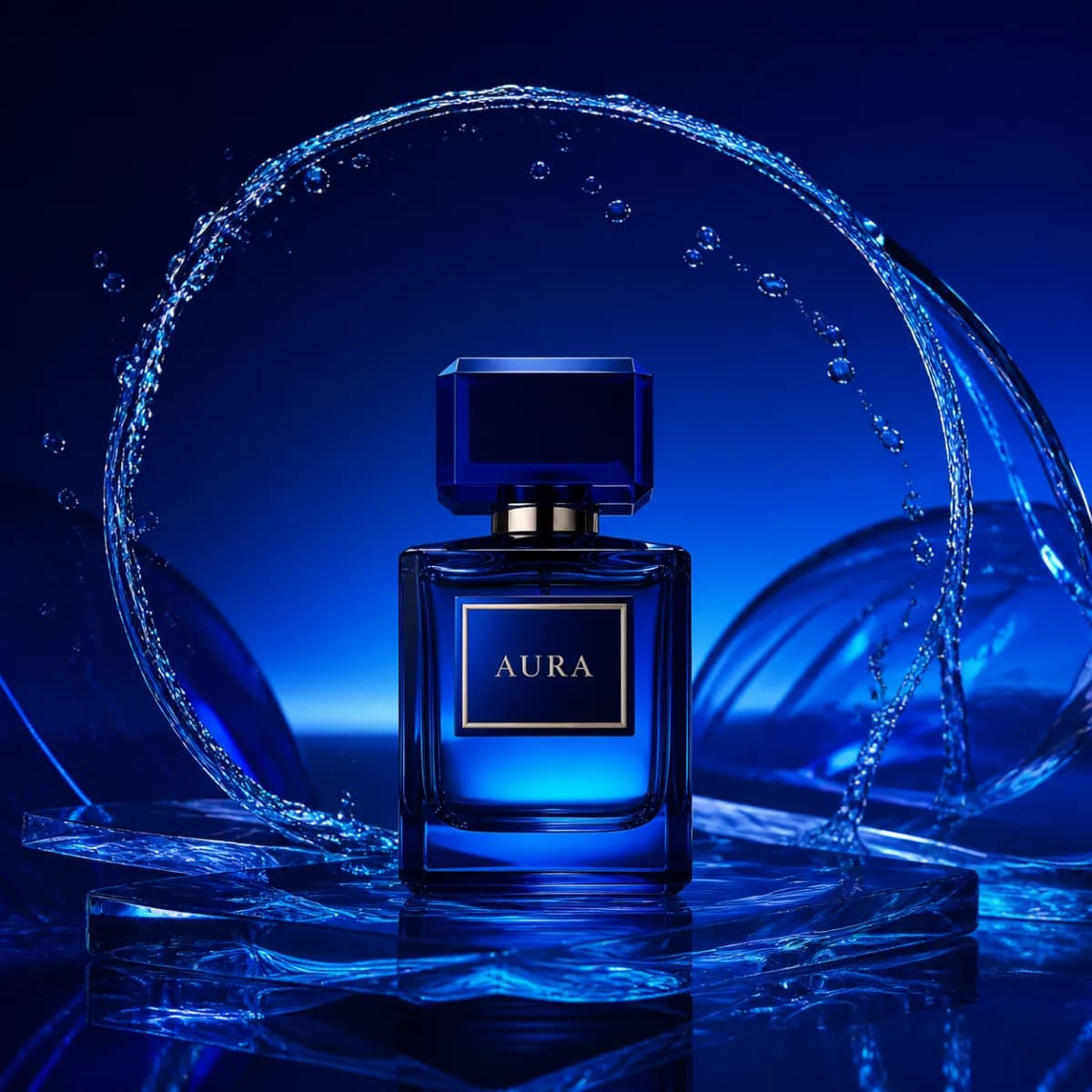
Aura · Product campaign
Product photography · Studio lighting
Luxury campaign photograph of a cobalt blue Aura perfume bottle, water arcing behind it, deep blue studio lighting, crisp glass details, square composition.
Explore ai product photography with practical prompts, scalable workflows, and legal tips to create compelling visuals that convert browsers into buyers.
Example projects
Product photography · Studio lighting
Luxury campaign photograph of a cobalt blue Aura perfume bottle, water arcing behind it, deep blue studio lighting, crisp glass details, square composition.

Fashion editorial · Natural light
Fashion editorial portrait with sculptural styling, soft window light and a quiet architectural backdrop. Muted tones, natural skin texture, 4:5 composition.

Product campaign · Citrus palette
An editorial citrus drink campaign: fresh lemons, bright yellow details and condensation on glass, hard summer sunlight, clean composition, square format.
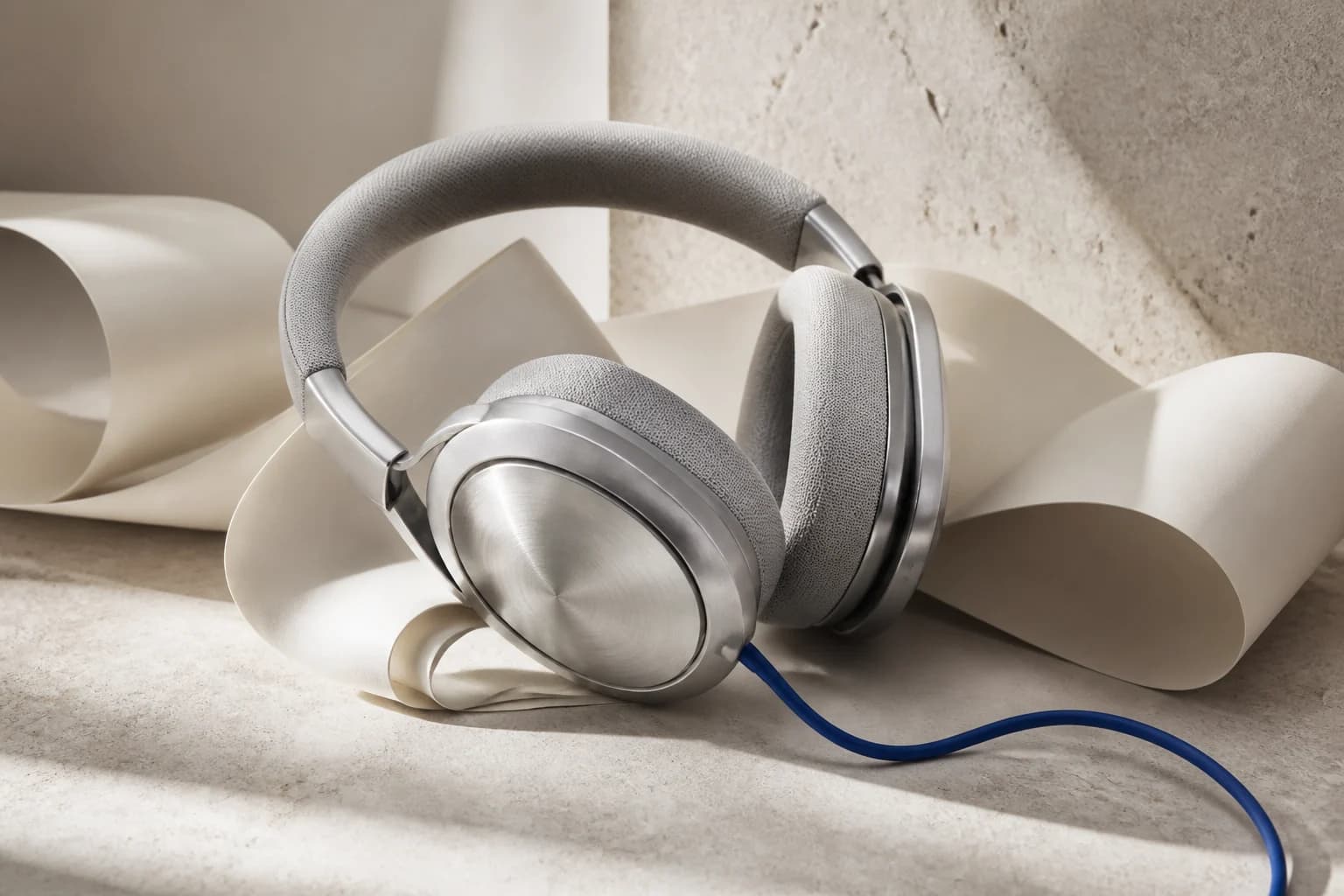
Product photography · Audio equipment
Premium studio headphones on a minimal desk, directional softbox light, detailed brushed metal and soft ear cushions, restrained background, commercial product photography.
Explore freely. Sign up to generate your own. Examples are pre-generated.

AI product photography is all about using artificial intelligence to generate, tweak, and perfect product images for your online store. The core action is simple: take a clean shot of your product and let AI build a completely new, realistic scene around it. This lets you churn out high-quality, on-demand visuals without the hefty price tags and long waits of traditional photoshoots, giving you a serious competitive edge.
The way we create visuals for e-commerce is changing, and it's changing fast. The old routine of booking expensive, drawn-out photoshoots for every product color or marketing push is quickly becoming obsolete. Today, AI product photography puts the power of a full-scale creative studio in your hands, ready to generate an endless stream of on-brand images in an instant.
This isn't just about finding a cheaper substitute for old methods; it's about unlocking a whole new creative capability. You can finally test all those wild ideas you had. What about placing that new skincare bottle in a misty, jungle-inspired scene? Or showing off a new sneaker against a surreal, futuristic cityscape? With AI, you can go from concept to final image in minutes, giving you a powerful, actionable way to test marketing angles without risk.
The numbers don't lie. This is more than just a trend; it's a full-blown transformation. The AI product photography market is on an incredible trajectory, projected to leap from a $450 million industry to a massive $5 billion by 2035. That's a compound annual growth rate of 24.5%, which signals a fundamental shift in how brands are thinking about their visual marketing.
Here’s a great example of how AI can take a basic product idea and spin it into a compelling visual that's ready for any channel.

As you can see, a single product concept can be instantly adapted for countless creative uses, from eye-catching social media posts to polished website banners.
The real magic happens when you move beyond just creating static pictures. The most powerful tools are integrated platforms that let you handle multiple parts of a campaign at once. Imagine creating a beautiful set of product photos and then, without ever leaving the platform, generating a professional voiceover for the video ad that goes with it.
An all-in-one toolset is no longer a luxury—it's an efficiency engine. With a platform like Verbatik, you can manage your entire creative asset pipeline, from image generation to audio production.
For instance, Verbatik does more than just generate AI images. It also includes unlimited text to speech and voice cloning, which means you can build out a complete multimedia campaign without juggling different tools. Here's an actionable insight: produce a stunning hero image for a new post and immediately create a matching voiceover for a video reel, all within the same workflow. For more ideas on this, check out our guide on creating engaging social media content.
Great AI product photos don't happen by accident. Before you write a single word of a prompt, you need a plan. It all starts with your visual strategy.
What’s your brand all about? Are you shooting for a clean, minimalist vibe or something more vibrant and energetic? Who are you trying to reach, and what kind of imagery will make them stop scrolling? Answering these questions first gives you the creative direction you need to steer the AI. Without that direction, you're just making pretty pictures. With it, you're building a cohesive brand that turns heads and drives sales.

Once your strategy is locked in, it’s time to get into the nitty-gritty of prompting. The trick is to stop thinking like a person and start giving the AI precise, logical instructions. A great prompt is like a detailed recipe; you need to break it down into core components to get predictable, high-quality results.
Think of it in these four parts:
When you take this structured approach, prompting stops being a guessing game and becomes a repeatable skill. It also lets you build a library of prompt templates you can pull from for consistent branding across all your visuals.
Let's put this into practice. Say you have a new skincare product and need two very different images, starting from the same simple product photo.
For a standard marketplace like Amazon, you want something clean and straightforward.
Amazon-Style Prompt Template:
Product shot of [your product], on a pure white background, with soft, even studio lighting, casting a gentle shadow, centered composition, ultra-realistic, 8k
This prompt is all business. It’s direct, focuses on clarity, and removes all distractions—perfect for a product detail page.
But for social media, you need to tell a story. By tweaking that base concept, we can create a scene that feels aspirational and alive.
Instagram-Style Prompt Template:
[Your product] placed on a damp, mossy stone next to a small waterfall in a lush jungle, soft morning light filtering through the leaves, misty atmosphere, macro detail shot, earthy and natural tones
See the difference? We didn't just change one or two words. We completely rebuilt the scene around the product by changing the setting, lighting, and composition. Mastering this is the key to creating next-level AI product photography.
Once you have these amazing images, you can push your content even further. A growing number of brands are exploring how to make AI-generated UGC ads, which blend the speed of AI with the trust of user-generated content. For a tool like Verbatik, which offers unlimited text to speech and voice cloning, this opens up incredible possibilities. Here's an actionable insight: generate a stunning lifestyle photo and then immediately create a matching voiceover for a short video ad, all in one seamless workflow.
Creating a single, stunning AI-generated image is a great proof-of-concept. But the real game-changer for any e-commerce brand is building a system to produce high-quality visuals at scale. When you move from one-off creations to a repeatable workflow, you unlock the ability to generate a whole library of options for social media, ad campaigns, and A/B testing—all in a fraction of the time. This is where batch generation becomes your secret weapon.
To keep your brand looking cohesive, you'll want to lock in a few key variables. Here's an actionable insight: use the same seed number in your AI tool to reproduce a specific style or composition across multiple images. Similarly, keeping your core style descriptors consistent in every prompt ensures all your visuals share the same DNA. This approach lets you create an entire catalog of images that look like they were shot in the same professional session, minus the logistical headache.
Your work isn't quite done when the AI finishes generating. The initial outputs are usually about 90% of the way there, but that last 10% of refinement is what elevates an image from "good enough" to truly professional. This is where you polish your assets to meet the high standards of a competitive online marketplace.
Luckily, you don't have to do this all by hand. Modern tools offer effortless AI photo cleanup, making what used to be tedious work surprisingly simple.
Here are the most common refinement tasks you'll encounter:
Taking the time for this final polish ensures every image is pixel-perfect, on-brand, and ready to drive sales. If you're just getting started and want to see what's possible, exploring a tool like Verbatik’s AI photo generator can give you a solid foundation.
This is where you can find some serious productivity wins. Instead of jumping between different apps—one for image generation, another for editing, and a third for audio or video—an integrated platform keeps everything under one roof.
This is where the true potential of an all-in-one platform shines. It’s not just about images; it’s about creating a complete narrative around your product, from visuals to sound.
Here’s an actionable insight: once you've generated a fantastic series of product photos, use an integrated tool to immediately pivot to creating the promotional video. A platform like Verbatik, for example, offers unlimited text to speech and voice cloning. This means you can create a professional voiceover right away, or even generate custom, royalty-free background music that perfectly matches the mood of your new visuals. It’s a consolidated workflow that saves a ton of time and keeps all your creative assets organized in one place.
Creating a fantastic AI-generated image is a great start, but it's really only half the job. To see real results, you need to optimize those images for every platform they’ll appear on. This is all about getting the file size, load speed, and dimensions right from the moment you export.
Don’t underestimate the impact of a slow-loading image. They are absolute conversion killers. Think about it: a tiny delay of just 100 milliseconds in page load time can actually tank your conversion rates by 7%. That’s why optimizing your files isn't just a "nice-to-have"—it's a critical part of your workflow.
This process is a journey from the initial creative spark to a scalable, optimized asset ready for the market.

As you can see, generating the image is just the first step. The real magic happens when you refine and scale those visuals for performance.
Every platform has its own set of rules and best practices. An image that looks incredible on your Instagram feed might get awkwardly cropped or compressed on your Shopify product page. To make sure your AI visuals always look professional and load lightning-fast, you need to know how to export perfect product photos for each channel.
Here’s a quick, actionable cheat sheet:
The real aim isn't just making images fit; it's making them work for you. When you export different versions tailored to each platform, you guarantee a crisp, professional look that improves the user experience and, more importantly, your sales.
This is where AI product photography really starts to feel like a superpower. Instead of sitting in a meeting debating which background will sell more, you can just generate a few options and let your audience tell you what they prefer.
Here's an actionable insight: set up a simple A/B test. Run two different AI-generated images on your product page or in your ad campaigns. For instance, pit a shot with a clean, minimalist studio background against one that shows the product in a rich, lifestyle context. Then, just watch your analytics. Pay close attention to metrics like click-through rate and add-to-cart conversions to see which visual truly connects with customers. This data-driven method takes the guesswork out of creative decisions.
And you don't have to stop at static images. Once you find a winning visual style, why not carry that aesthetic over to video? You can learn how to create video ads that build on what you’ve already discovered. With a platform like Verbatik, which offers unlimited text to speech and voice cloning, you can even test different voiceovers to find the one that drives the most action. It’s about building a completely optimized campaign, all from one cohesive starting point.
So, you've started creating some fantastic AI product shots. The power is undeniable, but now we need to talk about something just as critical: the rules of the road. The legal side of using AI-generated images, especially for a business, can feel like a minefield. The most important thing I can tell you is this: the rights you have are 100% dependent on the platform you choose.
It's a common pitfall. Many AI tools have murky terms of service that leave you wondering if you truly own the images you create. For a business, that kind of ambiguity is a risk you simply can't take. Before you commit, you absolutely must find a platform that explicitly grants you full commercial and even broadcast rights. This is non-negotiable. Having that clarity means you can confidently plaster those visuals across your ads, website, and social channels without a nagging fear of legal trouble down the line.
When you use an AI-generated image in your business, you're the one on the hook for it. It's your responsibility to make sure every piece of content you push out is legally sound. This all comes down to doing your homework and reading the terms of service before you build your entire workflow around a tool.
Here's what you need to look for:
Honestly, the single most critical decision you'll make is choosing a platform with clear, business-friendly terms. It's the foundation for everything. Platforms built with creators and businesses in mind, like Verbatik, make this a core part of their service.
For example, Verbatik’s clear commercial rights are a massive advantage. Here’s an actionable insight: you can create your product photos and then immediately use the platform's unlimited text to speech and voice cloning to produce an entire ad campaign—all under one straightforward license. That kind of integrated approach, covering both your visuals and your audio, is a game-changer for efficiency.
Once you've got your creative process dialed in and the legal side sorted, it's time to think about scale. For any business with a decent-sized product catalog or a busy marketing calendar, generating images one-by-one just isn't going to cut it. This is where APIs (Application Programming Interfaces) enter the picture.
Think of an API as a bridge that lets you plug the AI's power directly into your own systems—your e-commerce backend, your marketing automation tools, you name it. This unlocks some seriously cool possibilities. Imagine automatically creating a fresh set of lifestyle photos every time a new product is added to your Shopify store. Or spinning up dozens of ad variations for a campaign with a single click. It's powerful stuff.
This isn't some far-off future, either. The shift is happening now. A recent study revealed that 69% of commercial photographers are planning to adopt AI automation tools in the next two years, and the market for AI in photography is projected to soar to $2.4 billion by 2027. You can discover more insights about AI in photography on photoroom.com to see where the industry is heading.
For those looking to explore the broader world of AI content tools, our guide on the best AI generators available today is a great next step. It’s this kind of all-in-one capability, combining powerful AI photo tools with audio creation, that makes platforms like Verbatik so valuable for building a complete content strategy.
It’s completely normal to have a ton of questions when you first start exploring AI for your product photos. It's one thing to see jaw-dropping results online, but it’s another thing entirely to figure out how this technology actually fits into a real-world business workflow.
Here are some of the most common questions I get from e-commerce owners and marketers, along with some straight-up, practical answers based on my experience.
Not entirely, but it's an incredibly powerful partner—and for many tasks, it’s a direct replacement. When it comes to standard e-commerce shots on a clean, white background, AI is unbelievably efficient and much easier on your budget. You can crank out hundreds of variations in the time it would take to just set up the lighting for a single studio shot.
That said, traditional photography still reigns supreme for those big "hero" shots or complex brand campaigns where you need a specific human model or a one-of-a-kind physical set.
Here's an actionable insight: use a professional photoshoot for your core brand assets, then unleash AI product photography to generate a massive volume of creative variations for social media, seasonal campaigns, and A/B testing.
This is a big one, and the answer hinges entirely on the terms of service of the AI tool you’re using. It's a critical detail that many people miss. Reputable platforms designed for commercial work, like Verbatik, give you clear commercial and broadcast rights for everything you create. This gives you the peace of mind to use your images across all your marketing channels.
Always choose platforms that offer an explicit commercial use license. Vague terms of service are a business risk you just don't need. Clear rights ensure your website visuals, ad campaigns, and social posts are all above board.
My advice? Always check the license agreement before you commit to any tool. It’s also much safer to generate images using your own product photos as a base rather than creating concepts from scratch, which could accidentally look a little too much like someone else's copyrighted work.
Keeping a consistent brand feel with AI isn't about getting lucky; it's about being disciplined and building a repeatable process. It takes a little work upfront, but the payoff is huge when every image feels like it belongs to your brand.
Here's an actionable insight list for brand consistency:
If you're just starting out, your best bet is to pick a user-friendly, all-in-one platform that doesn't have a steep learning curve. Look for tools that have guided workflows or pre-built templates. This helps you see what's possible without having to become a prompt engineering genius overnight.
A platform like Verbatik is perfect for beginners. You can get started by simply uploading a clean photo of your product on a plain background. From there, play around with the built-in templates to see what kinds of scenes you can generate.
Then, try writing some simple text prompts. Focus on the background and lighting first—something like, "On a marble countertop next to a window." The key is to start simple, experiment, and learn how the AI responds to your words. And don't forget, with Verbatik, you also get unlimited text to speech and voice cloning, so once you're comfortable with images, you can create entire video ads with professional voiceovers, all in one spot.
Ready to transform your visual content and streamline your creative workflow? Verbatik provides everything you need, from AI product photography to unlimited text-to-speech and voice cloning. Get started with Verbatik today.
Join 150,000+ creators, developers, and businesses using Verbatik AI to produce studio-quality voiceovers, clone voices, and generate music and sound effects.
150K+
creators
150+
languages
75ms
latency
Trusted by teams at leading companies worldwide


